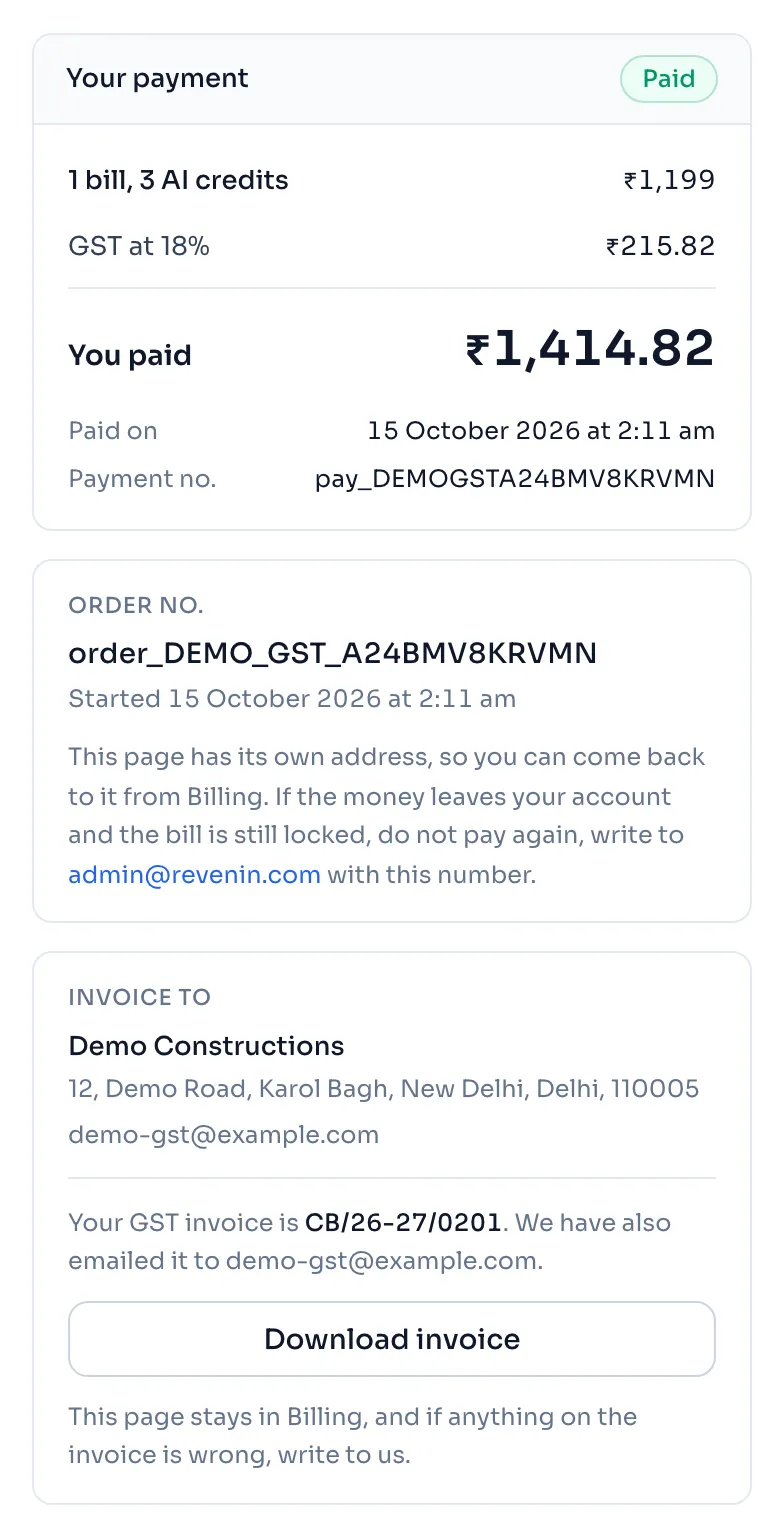
The prices on this guide are before GST. On the payment page the tax is its own row above To pay, so you see exactly what is added.
How to get an invoice with your GSTIN
- On the payment page, choose your State. Your state decides how GST is shown on the invoice.
- Type your firm's number in GSTIN, only if you have one. It is checked as you type, and the state in the GSTIN must be the state you chose.
- Press Pay. The invoice is made when the payment is confirmed. We email the PDF to the Email for the invoice address, and the page tells you when we have.
- To get it again, press Download invoice on the payment page. You can also open Billing, and press the invoice number in the Invoice column of Payments.
Things to know
- Give your GSTIN before you pay. The invoice is made from the details on the payment page when the payment is confirmed, and an invoice that is made is not changed after that. If anything on it is wrong, write to us.
- CGST and SGST, or IGST. A buyer in Delhi gets the tax in 2 halves, CGST and SGST, and a buyer in any other state gets it as IGST. The total you pay is the same either way.
- A refund comes with a credit note. It is listed beside the invoice with its own number.
- If the payment page says an order cannot be paid, press Start again and a new order is made.
- Buying AI credits asks your state first, because the state goes on the invoice.
- No GSTIN is fine. You can pay without one, and the invoice then says that no GSTIN was given.
How it is worked out
The tax is worked out on the price and added to it:
For a made up price of 1,000:
| Line | Working | Amount |
|---|---|---|
| Price before GST | 1,000.00 | |
| GST at 18% | 1,000 x 18% | 180.00 |
| To pay | 1,000 + 180 | 1,180.00 |
On the invoice, a buyer in Delhi sees the 180.00 as CGST at 9% (90.00) and SGST at 9% (90.00). A buyer in another state sees IGST at 18% (180.00). A firm that is registered for GST claims the 180.00 back.
If you see this message
This GSTIN does not look right. under the GSTIN box
Check the 15 characters. One wrong letter or digit is caught here, so it is not printed on your invoice. Leave the box empty if you do not have a GSTIN.
Please choose your state first, it goes on your GST invoice.
Choose your state, then pay again.
This order was made before GST was added to our prices
That order cannot be paid. Press Start again for a new one.
Your GST invoice is
The number after these words is your invoice. Press Download invoice to save the PDF.
We could not email it, so please download it here.
The email did not go. Press Download invoice on this page.