Read them from the award letter
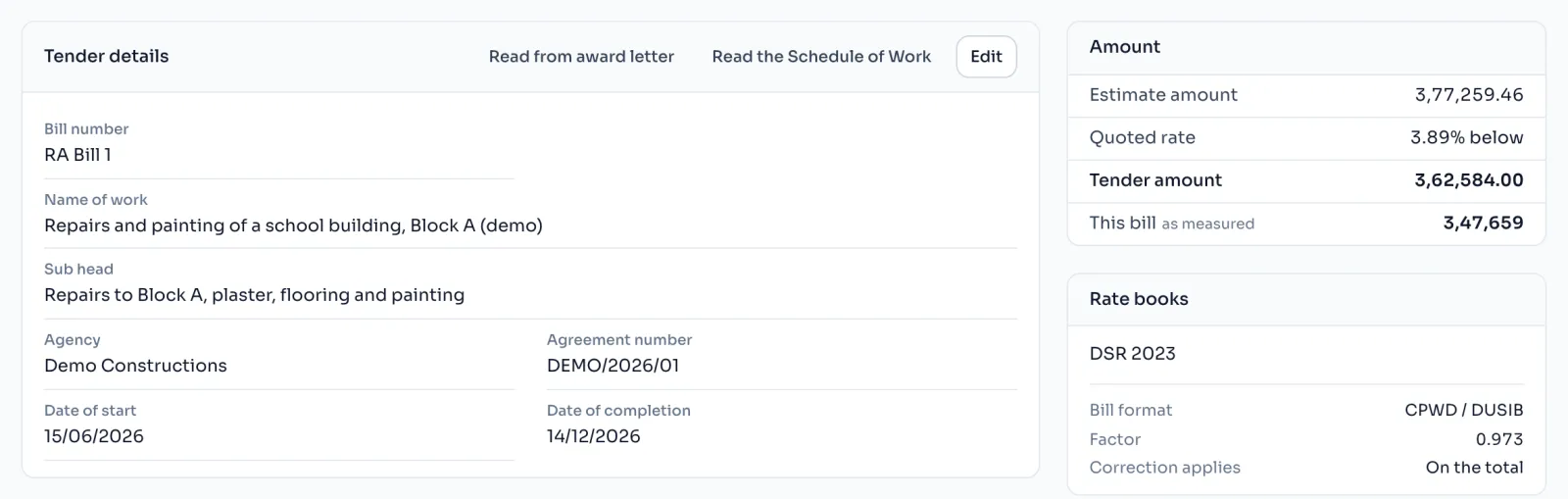
- On the tender's Overview, find Tender details and press Read from award letter.
- Choose the PDF or photo of the letter and press Read the letter.
- Check every line. Each amount is checked against its words, and the three amounts are checked against each other.
- Press Use these details. The dates are only suggested, so press Use these dates if they are right.
Or type them in
Press Edit on Tender details and type each one. Nothing is filled in until you do one or the other.
Things to know
- The Bill number matters. If it has the word Final in it, the Abstract adds two lines: Completion Certificate is attached, and Measurements are full and final.
- The date the work finished goes into the Completion Certificate. Leave it empty and the certificate leaves a blank for it.
- Reading the award letter counts as one reading. Free readings and AI credits
- The status of the tender, Under process, With AE/JE or Completed, is set on this page and shows on your tender list.
How it is worked out
The letter states the estimate, the quoted percentage and the tender amount, so the three have to agree:
Tender amount = Estimate amount x (1 less Quoted % / 100), or (1 plus Quoted % / 100) when above
For an estimate of 25,00,000 quoted 3.89% below:
| Step | Working | Amount |
|---|---|---|
| Below by 3.89% | 1 less 3.89 / 100 | 0.9611 |
| Tender amount | 25,00,000 x 0.9611 | 24,02,750 |
If the tender amount you typed is more than about a rupee away from this, the Amount panel says one of the three is mistyped. The quoted % it uses is the one in the Quoted % box on the Bill page.
If you see this message
Nothing filled in yet. Read the award letter, or type the details in.
The bill has no header yet. Press Read from award letter, or Edit to type them.
One of the three is mistyped.
The estimate, the quoted % and the tender amount do not agree. Check each one against your award letter.