How to set them
- On the bill, press Recovery in the row of tabs.
- Each head has a box with the department's rate shown in grey. Leave a box empty to use that rate.
- Type a different rate only where your work needs it, like income tax at 1% for an individual.
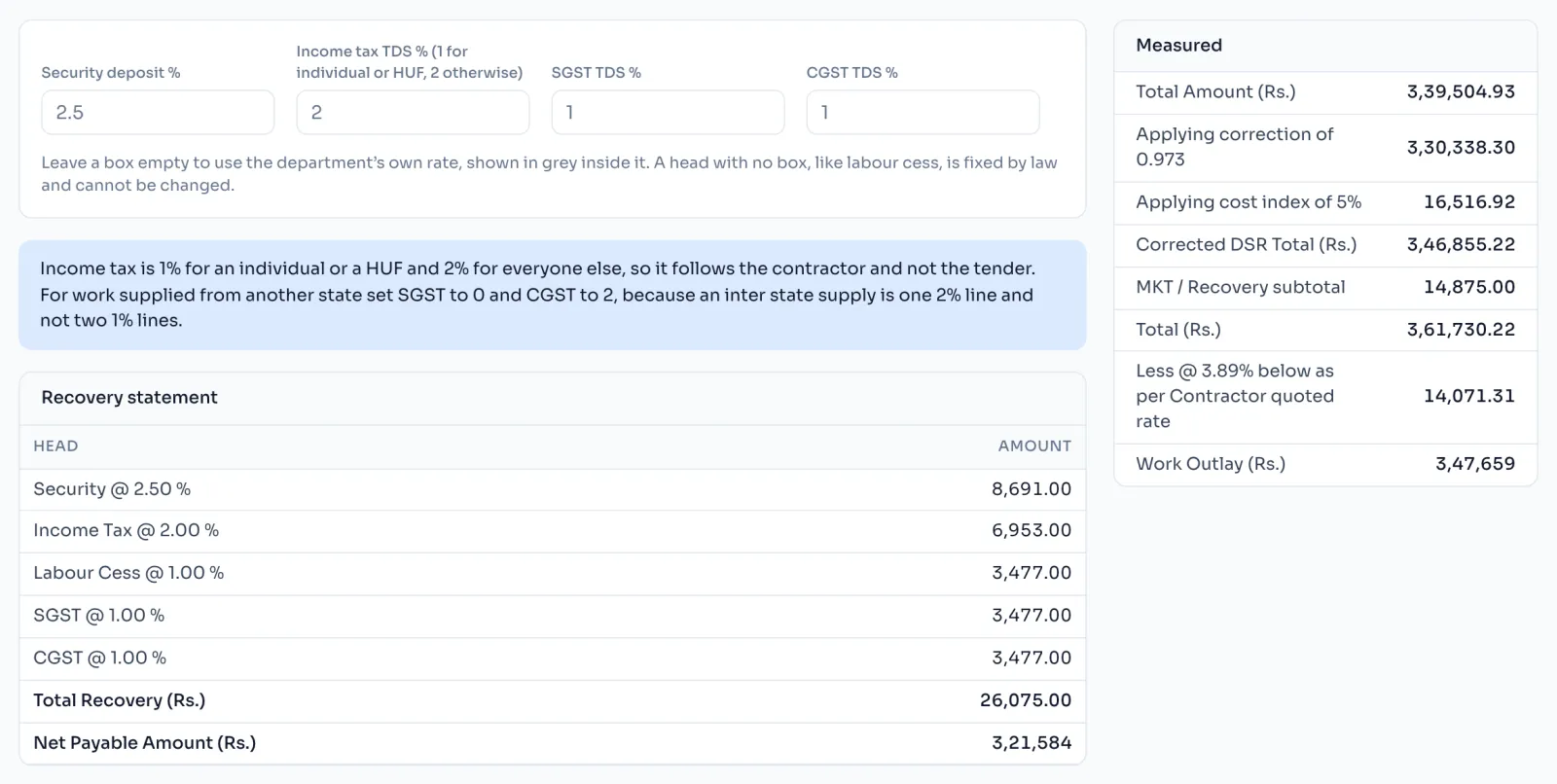
The heads
| Head | Department rate | When to change it |
|---|---|---|
| Security deposit | 2.5% | When your contract says 5% or 10% |
| Income tax TDS | 2% | 1% for an individual or HUF |
| SGST TDS | 1% | 0 for work supplied from another state |
| CGST TDS | 1% | 2 for work supplied from another state |
| Labour cess | 1% | Never, it is fixed by law, so it has no box |
Things to know
- Recoveries stay at zero until you write measurements, because a recovery comes off the work done.
- A rate must be from 0 to 100. A box that is not a number turns red, and the department's rate is used.
- Every head is worked out on the same amount, the rounded Gross Amount Payable.
How it is worked out
Each head is worked out on the Gross Amount Payable and rounded to the rupee, then the heads are added:
Net Payable = Gross Amount Payable less the Total Recovery
For a Gross Amount Payable of 9,96,324 with the department's rates:
| Head | Working | Amount |
|---|---|---|
| Security @ 2.5% | 9,96,324 x 2.5% | 24,908 |
| Income Tax @ 2% | 9,96,324 x 2% | 19,926 |
| Labour Cess @ 1% | 9,96,324 x 1% | 9,963 |
| SGST @ 1% | 9,96,324 x 1% | 9,963 |
| CGST @ 1% | 9,96,324 x 1% | 9,963 |
| Total Recovery | 74,723 | |
| Net Payable | 9,96,324 less 74,723 | 9,21,601 |
Each head is rounded before the sum, as the department's own bills do, which can differ by a rupee from rounding the sum.
If you see this message
This is not a number under a rate box
Type the rate as a number, like 2.5. Until then the department's rate is used.